

Understanding Free Webcasting Services
Webcasting services have transformed how organizations and businesses connect with their audiences by delivering live and on-demand content over the internet. These platforms enable users to broadcast events such as conferences, webinars, seminars, worship services, product launches, and community forums directly to viewers across diverse locations. Unlike traditional broadcasting methods, webcasting provides a scalable and cost-effective solution to reach a broader audience without geographical constraints.
At their core, free webcasting services utilize internet streaming protocols to transmit audio and video signals from a source to viewers' devices. Through optimized encoding and compression technologies, these services ensure that content is delivered smoothly, minimizing latency and buffering issues. They support a variety of formats and devices, making content accessible whether viewed on laptops, smartphones, or tablets. The availability of on-demand recordings further enhances the potential reach and engagement of broadcasted events.
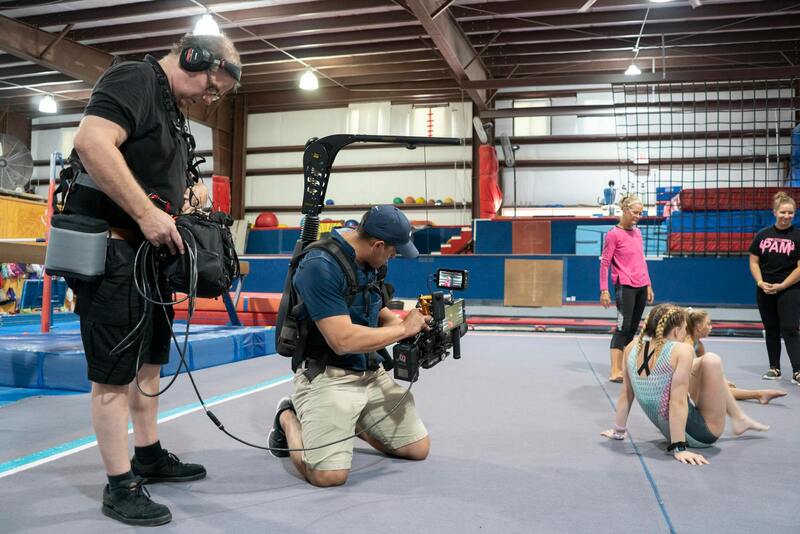
For organizations, utilizing free webcasting options can significantly enhance visibility and engagement. Educational institutions can broadcast lectures and seminars without incurring high costs. Religious groups can reach their congregations remotely, especially when in-person gatherings are limited. Businesses can host product showcases, training sessions, and shareholder meetings with minimal investment. Nonprofits and community organizations benefit from the ability to expand their message outreach without the need for extensive technical infrastructure or expense.
While many commercial webcasting solutions offer comprehensive features at premium prices, a variety of reputable free options are available, providing essential functionalities suitable for small to medium-sized events. These platforms typically include basic live streaming, chat interactions, screen sharing, and simple analytics. Additionally, some free services offer integrations with popular social media sites, allowing for easy sharing and broader outreach within existing online communities.
Choosing an appropriate free webcasting service begins with understanding your specific requirements. Important considerations include the event size, the level of interactivity needed, supported streaming quality, and ease of use. Many platforms also provide user-friendly setup guides to ensure that even those with limited technical expertise can successfully host their events. As these services continue to evolve, they offer increasingly robust solutions for organizations seeking cost-effective ways to expand their digital presence.
Understanding Free Webcasting Services
Free webcasting services have become a vital resource for diverse organizations aiming to broadcast their events to wide audiences without significant financial investment. These platforms typically provide essential streaming capabilities, including live video transmission, real-time chat interactions, screen sharing, and basic analytics. They are designed to accommodate a range of event sizes, from small community meetings to larger virtual conferences, making them highly versatile tools for various sectors.
The core appeal of these free solutions lies in their accessibility and simplicity of use. Many offer user-friendly interfaces that enable hosts to set up and start streaming with minimal technical expertise. This includes step-by-step guides and templates that assist with configuration, allowing organizations to focus on content delivery rather than technical hurdles. Additionally, many free webcasting services have integrations with popular social media platforms, facilitating effortless sharing and audience engagement across multiple channels.

Another advantage is the reduced resource requirement compared to paid solutions, removing the need for costly equipment or specialized personnel. For small businesses, religious groups, educational institutions, and nonprofit organizations, this means they can extend their reach without stretching their budgets. Certain platforms also support high-definition streaming, ensuring that content quality is maintained even during live broadcasts. As technology advances, these services continuously enhance their offerings, incorporating features like multi-camera support, recording options, and advanced analytics to enable better audience insights.
While free webcasting services are inherently limited in some advanced functionalities, they often suffice for many routine broadcasting needs. It is essential, however, to assess specific event requirements such as the expected size, level of interactivity, and quality standards before selecting a platform. This careful evaluation ensures that the chosen service aligns well with organizational goals and delivers an effective streaming experience.
In summary, free webcasting solutions are an excellent starting point for organizations seeking to expand their digital presence economically. They democratize access to live broadcasting, enabling even small entities to reach large audiences, foster community engagement, and enhance visibility.
Official Methods for Accessing Free Webcasting Services
When exploring free webcasting options, it is essential to utilize authentic and reliable platforms that are designed specifically for live streaming. Many reputable providers offer free tiers that cater to small-scale events, educational seminars, community gatherings, and nonprofit initiatives. These platforms are developed with the necessary infrastructure to deliver high-quality streams and support concurrent viewers without interruptions.
To access such services legitimately, start by researching established providers known for their security measures and consistent performance. These often include options like open-source solutions, which are maintained by active developer communities, and cloud-based platforms offering free usage tiers with clear usage limits. Validating platform authenticity involves reviewing documentation, verifying user reviews, and ensuring the service provider’s reputation aligns with industry standards.

Once an appropriate platform is identified, registering through their official website guarantees access to the latest features and security protocols. Account creation typically involves providing basic information and agreeing to terms of service. Some platforms might require email verification, but overall, the process remains straightforward and transparent. It is advisable to avoid third-party websites promising 'free' webcasting solutions, as these may pose security risks or lead to unreliable streaming experiences.
Ensuring a Secure and Effective Streaming Experience
Securing your webcast involves adhering to the platform’s official guidelines and recommended configurations. Use strong, unique passwords for your account and enable any available two-factor authentication options. If the platform supports stream encryption, enable this feature to protect your content during transmission. Keeping your software and devices updated minimizes vulnerabilities and ensures compatibility with the chosen streaming service.
Compatibility checks should include verifying your internet bandwidth, available hardware, and browser compatibility. Many services provide test streams that allow you to evaluate streaming quality and troubleshoot potential issues beforehand. It is important to conduct these tests within the environment that will be used during the actual event to identify and resolve technical challenges beforehand.
Additional Tips for Successful Use of Free Webcasting Services
- Always follow official tutorials and user guides provided by the platform for optimal setup.
- Use reliable internet connections to prevent interruptions during live streaming.
- Test your audio and video equipment in advance and familiarize yourself with platform controls.
- Leverage platform features such as chat moderation, attendee management, and recording tools to enhance your webcast.
- Stay updated on platform announcements to be aware of any changes in features or security measures.
By adhering to these practices, organizations can effectively utilize free webcasting services for their digital outreach, ensuring a seamless and professional streaming experience while maintaining high standards of security and content quality.

Understanding Free Webcasting Services
Free webcasting services provide organizations and individuals with accessible platforms to transmit live video content over the internet without incurring costs. These services typically cater to a range of event types, including corporate meetings, educational seminars, community gatherings, and religious services. They simplify the process of reaching a broad audience, often requiring only basic technical setup and an internet connection. Such services usually operate on a freemium model, offering core features at no charge while providing additional functionalities through paid upgrades. When selecting a free webcasting platform, it is essential to evaluate its capacity for scalability, integration options, and technical support to ensure it meets the specific needs of your event. These services often include built-in tools for chat, viewer analytics, and recording, which enhance audience engagement and allow for post-event content reuse. Using a reputable and official platform guarantees a streamlined experience, minimizes technical issues, and maintains the professionalism of your live broadcast.

Benefits of Using Free Webcasting Services
Implementing free webcasting solutions offers numerous advantages that can significantly amplify the reach and impact of your events. First, these platforms eliminate the need for substantial financial investment, making high-quality live streaming accessible to organizations of all sizes and budgets. This cost-effectiveness encourages broader adoption and experimentation with digital outreach strategies. Additionally, free services often feature user-friendly interfaces and straightforward setup processes, allowing organizers to focus on content creation rather than technical complexities.
Another benefit lies in the ability to instantly connect with a global audience, breaking geographical barriers that traditionally limited physical events. This expanded reach can lead to increased participation, wider exposure, and enhanced engagement with viewers who might otherwise be unable to attend in person. Furthermore, the archival functionalities inherent in many free webcasting services enable on-demand viewing, extending the lifespan of your content. These platforms often include social sharing tools, which facilitate easy dissemination across multiple channels, further amplifying your message.
Key Features to Consider in Free Webcasting Platforms
Choosing the right free webcasting service requires careful assessment of its features and capabilities. A robust platform should offer stable and high-quality streaming with adaptive bitrate technology to ensure smooth playback across various devices and connection speeds. Compatibility with different hardware setups, including webcams, microphones, and streaming encoders, is crucial for versatile production scenarios.
Essential features include real-time chat or Q&A modules to foster interaction between hosts and viewers, as well as analytics tools to monitor viewer engagement and gather valuable insights. The ability to record live streams automatically allows for content repurposing and post-event distribution. Additionally, integration with popular social media platforms ensures broader dissemination and active audience participation.
Security provisions such as password protection or access controls help safeguard sensitive content from unintended viewers. A customizable interface, including branding options, enhances professionalism and consistency with your organization’s visual identity. Lastly, reliable customer support and clear documentation are vital for troubleshooting and optimizing your webcast experience, especially when utilizing free services that may have limitations or restrictions.
Understanding Free Webcasting Services
Free webcasting services have become increasingly popular among organizations, businesses, educational institutions, and event organizers seeking to share live content without incurring additional costs. These platforms leverage cloud-based technology to broadcast audio-visual material to large audiences via the internet, facilitating real-time interaction and broad reach. They often include essential tools such as live streaming, chat functions, and basic analytics, making them suitable for various event types, from small meetings to large-scale lectures or community gatherings.

One of the defining features of legitimate free webcasting services is their ease of access—most require only a simple account setup, enabling users to initiate live streams with minimal technical expertise. These platforms are often supported through advertisements, freemium models, or limited-time free tiers that encourage users to test their features before considering paid options. For individuals and small organizations, such services provide an affordable pathway to increase visibility and audience engagement without the financial barrier of turnkey solutions.
Benefits of Using Free Webcasting Services
- No Financial Investment: Ideal for organizations with tight budgets, free services allow for essential live streaming functionalities without upfront costs.
- Ease of Use: User-friendly interfaces enable quick setup, making live broadcasting accessible even to those with limited technical experience.
- Rapid Deployment: These platforms often support instant streaming, allowing hosts to go live within minutes after setup.
- Built-in Interactivity Tools: Features such as real-time chat, polls, and Q&A sessions foster audience engagement.
- Social Media Integration: Many free services facilitate direct streaming to popular platforms like Facebook, YouTube, and Instagram, expanding content reach.
- Content Recording: Automatic or manual recording options enable post-event content sharing or archiving for future reference.
- Limited Technical Overhead: With hosted solutions, users avoid the need for complex hardware or software installations, simplifying the technical requirements.
Key Features to Consider in Free Webcasting Platforms
While exploring free options, it is crucial to evaluate the core capabilities these platforms offer to ensure they meet your specific needs. Cost-free solutions vary in features, so understanding what functionalities are included is essential for a successful broadcast.
- Stream Quality and Stability: Look for platforms that support high-definition video with adaptive bitrate technology, which adjusts the stream quality dynamically according to viewers’ internet speeds, minimizing buffering or quality degradation.
- Compatibility: Check if the service supports various hardware inputs, such as webcams, smartphones, and professional encoders, to accommodate different production setups.
- Customization and Branding: Although limited in free plans, the ability to customize viewer interfaces with logos, colors, or intro screens can enhance professionalism.
- Interaction Tools: Features like live chat, polls, Q&A sections, and social media sharing are essential for engaging viewers actively throughout the webcast.
- Analytics and Reporting: Basic analytics that track viewer numbers, engagement levels, and geographic distribution help assess the event's impact and inform future strategies.
- Security Measures: Access controls, password protection, and encrypted streaming are important for safeguarding sensitive content, especially during exclusive or private broadcasts.
- Recording and Replay Options: Automatic archiving of streams allow you to repurpose content and provide access to viewers who missed the live event.
- Social Media Integration: Seamless connection to platforms such as Facebook, YouTube, or LinkedIn maximizes outreach and facilitates broader dissemination of the content.
Popular Free Webcasting Software Options
Given the rapid evolution of streaming technology, several free tools have gained recognition for their reliability and feature sets. Here are some of the most utilized options, suitable for a range of event sizes and complexities:
- StreamYard: Known for its intuitive interface and multi-platform streaming capability, StreamYard supports broadcasting to Facebook, YouTube, LinkedIn, and more. Its free tier offers access to multiple participants, branding options, and basic streaming features.
- Restream: A versatile platform that consolidates streaming across various channels. Its free plan includes scheduling, chat aggregation, and analytics, making it suitable for consistent content distribution.
- OBS Studio: An open-source broadcasting software that supports high-quality video streaming. Although it requires more technical knowledge, it provides unmatched customization and integration options when paired with third-party streaming services.
- eStream: Offers simple live streaming solutions with integrated chat and real-time analytics, ideal for small business or community events looking for straightforward deployment.
- YouTube Live: A widely used free platform with robust infrastructure, enabling broadcasters to reach a broad audience with minimal setup, complemented by YouTube’s auto-archiving and monetization features.
Understanding Free Webcasting Services
Free webcasting services refer to platforms and tools that enable individuals and organizations to broadcast live video content over the internet without incurring expenses. These services typically offer basic features such as live streaming to multiple platforms, chat interactions, and audience engagement options. They are designed to accommodate a variety of event types, including corporate meetings, educational sessions, religious services, and community gatherings. Possessing the ability to reach a broad audience without financial barriers makes these services especially attractive for small businesses, nonprofits, and hobbyist content creators.

Benefits of Using Free Webcasting Services
Utilizing free webcasting services offers numerous advantages. First, they significantly reduce costs associated with event broadcasting, eliminating the need for expensive hardware or software licenses. Second, these platforms often provide intuitive interfaces that simplify the setup process, even for users with limited technical expertise. Third, they facilitate broad dissemination of content, allowing events to be streamed across various channels like YouTube, Facebook, or custom websites, maximizing audience reach. Additionally, free services frequently include essential features such as chat interactions, real-time analytics, and basic branding options, adding value without additional costs. Lastly, they provide an excellent testing ground for those new to live streaming, enabling experimentation before deciding to invest in advanced solutions.
Key Features to Consider in Free Webcasting Platforms
When selecting a free webcasting platform, it is critical to evaluate certain features to ensure it aligns with your event requirements:
- Platform Compatibility: The ability to broadcast across several popular social media platforms and embed streams into websites.
- User Interface: An intuitive and user-friendly interface that simplifies setup and management during live events.
- Multiplatform Streaming: Support for simultaneous streaming to multiple destinations to maximize audience exposure.
- Interaction Tools: Features such as live chat, polls, and Q&A sessions to foster engagement.
- Recording and Archiving: Options to record broadcasts for later viewing or distribution.
- Custom Branding: Basic branding options like overlays or logo placement to maintain event identity.
- Technical Support and Stability: Reliable streaming capabilities and accessible support channels.
Popular Free Webcasting Software Options
Several free platforms have gained recognition for their ease of use and robust feature sets. These include:
- StreamYard: Known for its straightforward interface and multi-stream capabilities, supporting broadcast to Facebook, YouTube, LinkedIn, and more, with free options for multiple participants and branding tools.
- Restream: Offers stream scheduling, chat aggregation, and analytics within its free plan, facilitating consistent multi-channel broadcasting.
- OBS Studio: An open-source software providing extensive customization, high-quality streaming, and integration possibilities, suitable for users willing to handle more technical setup.
- YouTube Live: A globally accessible platform allowing easy live streaming with built-in auto-archiving, audience engagement features, and straightforward setup.
- eStream: Focused on small events or community gatherings, offering simple streaming solutions with real-time analytics and chat functionalities.
Steps to Set Up Free Webcasting for Events
Launching a webcast with no cost involves a series of straightforward steps:
- Choose a Suitable Platform: Based on your event size, technical skills, and desired features, select an appropriate free webcasting service.
- Plan Your Content: Outline your agenda, prepare scripts if necessary, and gather any visual materials or presentation tools needed.
- Configure Equipment: Ensure you have a capable camera, microphone, stable internet connection, and appropriate lighting for high-quality video output.
- Set Up the Platform: Create an account, customize your stream settings, add branding elements, and connect your streaming sources (such as cameras and microphones).
- Test Your Setup: Conduct trial runs to check audio-visual quality, internet stability, and stream functionality. Adjust settings as needed before going live.
- Promote Your Event: Share the streaming link across your channels, invite participants, and ensure your audience is aware of the date and time.
- Go Live: Start your broadcast, monitor the stream for technical issues, interact with viewers, and record the session if possible.
- Post-Event Engagement: Save recordings for sharing, gather feedback, and analyze viewer metrics to improve future broadcasts.
Understanding Free Webcasting Services
Free webcasting services are platforms that allow individuals and organizations to broadcast live video content online without incurring direct costs. These services utilize internet streaming technology to deliver seamless live video streams to audiences across the globe. They are particularly beneficial for small to medium-sized events, community outreach, educational seminars, religious services, and nonprofit initiatives that aim to maximize reach without straining budget resources.
Unlike paid platforms that often come with advanced features and dedicated customer support, free webcasting services typically operate on a freemium model or provide limited streaming capacities. They may impose restrictions on audience size, bandwidth, storage, or the length of streams. Nonetheless, they serve as practical solutions for those starting out or seeking to test the waters before investing in premium options. These services primarily leverage cloud-based infrastructure, enabling users to initiate broadcasts directly from their devices with minimal technical setup.
Benefits of Using Free Webcasting Services
- Cost-effectiveness: Eliminates the need for expensive equipment or subscription fees, making it accessible for non-profits, educational institutions, and small businesses.
- Ease of access: User-friendly interfaces facilitate quick setup and live broadcasting, even for those with limited technical background.
- Broad audience reach: Internet-based streaming enables broadcasting to large and geographically dispersed audiences, increasing event visibility.
- Flexibility: Most platforms support multiple device types, including desktops, tablets, and smartphones, for viewers' convenience.
- Inbuilt tools: Many free services include features such as chat, polls, and basic analytics to enhance viewer engagement and monitor performance.
Key Features to Consider in Free Webcasting Platforms
When selecting a free webcasting service, it’s vital to evaluate certain features to ensure compatibility with your event's requirements:
- Maximum Audience Capacity: Confirm the platform’s capacity limits to match your expected viewership.
- Stream Quality: Look for services that support high-definition streaming for a professional presentation.
- Platform Compatibility: Ensure the platform works across various browsers and devices.
- Customization Options: Ability to add branding, overlays, and interactive elements.
- Recording and Archiving: Check if the platform allows automatic recording and easy access to archived streams for future reference.
- Technical Support: Availability of user guides, tutorials, or support channels to aid setup and troubleshooting.

Popular Free Webcasting Software Options
Several reliable free webcasting solutions are available, each with their distinct strengths:
- YouTube Live: The most widely used platform offering extensive capabilities, live chat, and analytics with no cost at all.
- Facebook Live: Suitable for social media outreach, easily integrated with Facebook pages and groups.
- Vimeo Livestream (Free Tier): Offers HD streaming with basic features, ideal for professional quality broadcasts.
- Instagram Live: Perfect for targeting younger audiences, though it may require third-party tools for broader functionalities.
- StreamYard: A browser-based platform that allows multi-source broadcasting with free options, including banners and overlays.
Steps to Set Up Free Webcasting for Events
Setting up a webcast without incurring costs involves a series of strategic steps to maximize quality and engagement:
- Choose a Platform: Match your event size and features needed with an appropriate service.
- Prepare Your Content: Outline your agenda, prepare visual aids, and rehearse your presentation to ensure smooth delivery.
- Configure Your Equipment: Use a reliable camera, microphone, stable internet connection, and proper lighting for optimal video and audio quality.
- Set Up Your Stream: Create an account, customize branding and chat options, and connect your streaming hardware or source.
- Test the Process: Run trial streams, verify all technical aspects, and make necessary adjustments to prevent interruptions during the live session.
- Promote Your Event: Distribute the streaming link through your communication channels, send reminders, and encourage participation.
- Go Live and Engage: Launch your stream, monitor real-time performance, interact with viewers, and resolve issues promptly.
- Post-Event Activities: Save recordings, evaluate viewer feedback, and analyze engagement metrics to improve future broadcasts.
Understanding Free Webcasting Services
Free webcasting services provide organizations and individuals with accessible means to broadcast live events over the internet without incurring basic streaming platform costs. These services typically offer core functionalities that enable users to reach wide audiences, share dynamic visual content, and engage viewers in real time. Often, they are supported by advertisements, limited features, or session durations, but still provide a solid starting point for smaller-scale productions or initial testing prior to investing in premium solutions.

Benefits of Using Free Webcasting Services
- Cost-Effectiveness: Eliminates financial barriers, ideal for startups, community organizations, and small businesses seeking visibility without significant expenditure.
- Ease of Access: User-friendly platforms often provide minimal setup requirements, allowing quick deployment with basic technical skills.
- Flexibility: Many free services support various devices, including smartphones, tablets, and desktops, broadening audience reach.
- Testing and Experimentation: A practical option for trial runs to refine content delivery, presentation style, and audience interaction techniques.
- Enhanced Visibility: Live streaming expands your event’s reach beyond geographic constraints, fostering greater engagement and participation.
Limitations to Consider
Despite their advantages, free webcasting services often come with limitations such as restricted streaming durations, lower production quality, branded watermarks, and limited interactivity tools. These constraints make them suitable for casual or smaller events but less optimal for large-scale or highly professional broadcasts requiring advanced features.
Key Features to Consider in Free Webcasting Platforms
When selecting a free webcasting platform, it is essential to evaluate features that impact the overall quality and engagement of your event:
- Video Quality: Support for HD streams ensures clear visuals that keep viewers attentive and engaged.
- Stream Stability: Reliable encoding and server infrastructure prevent interruptions and buffering issues.
- Audience Interaction Tools: Chat functions, polls, and Q&A enable real-time participation and foster community interaction.
- Custom Branding: Options to incorporate logos, overlays, and personalized elements help maintain brand consistency and professionalism.
- Recording Capabilities: Recording streams for post-event viewing and analysis enhances content reuse and outreach.
- Compatibility and Accessibility: Compatibility with various devices and operating systems ensures broader access and ease of use for participants.

Popular Free Webcasting Software Options
Several platforms are widely recognized for their balance of functionality, ease of use, and cost-free access:
- StreamYard: Browser-based, supports multiple sources, and offers templates for overlays and branding, suitable for professional-looking broadcasts.
- OBS Studio (Open Broadcaster Software): Open-source and highly customizable, ideal for users comfortable with technical configurations seeking extensive control over their streams.
- YouTube Live: Integrated with the world's most popular video platform, providing seamless streaming to large audiences with built-in moderation and engagement features.
- Facebook Live: Easily accessible, enhances social media outreach, and supports direct audience interaction through comments and reactions.
- Zoom (Free Version): Primarily for meetings, but also supports webinar-like broadcasts suitable for small audiences with interactive features.
Steps to Set Up Free Webcasting for Events
Initiating a webcasting event involves several key steps to ensure quality delivery and maximum engagement:
- Identify Your Platform: Choose based on your audience size, desired features, and technical capacity.
- Prepare Content: Develop a clear agenda, gather visual aids, and rehearse to ensure smooth flow during the live session.
- Configure Equipment: Use a reliable camera, microphone, stable internet connection, and appropriate lighting for high-quality video and audio.
- Set Up Streaming Parameters: Create an account, customize your on-screen branding, and connect your camera and microphone sources.
- Conduct Test Runs: Run rehearsals to check stream stability, audiovisual quality, and interaction functionalities, making adjustments as needed.
- Promote Your Event: Distribute the streaming link through email, social media, and other communication channels, encouraging audience participation.
- Go Live and Interact: Launch your webcast, monitor viewer engagement, interact through chat or Q&A, and handle any issues swiftly.
- Post-Event Follow-Up: Save recordings, gather viewer feedback, and analyze engagement metrics to inform future broadcasts.